Drop files here or click to browse
Results
Images, PDF, video and audio. 50+ free tools. Compress, convert, edit. In your browser.
Compress images, merge PDFs, shrink videos and zip files. Everything runs on your own device, so nothing is ever uploaded.





Used every day by people shrinking photos, PDFs and videos in 42 languages
 Job and visa portalsHit the 100 KB limit
Social mediaMemes, crops and mockups
Email attachmentsUnder 20 MB, every time
Job and visa portalsHit the 100 KB limit
Social mediaMemes, crops and mockups
Email attachmentsUnder 20 MB, every time
 Photo albumsRotate and resize in batches
Every languageFrom Japanese to Swahili
Free for goodNo sign up, no watermark
Photo albumsRotate and resize in batches
Every languageFrom Japanese to Swahili
Free for goodNo sign up, no watermark
Every file tool you need, in one tidy place
Over 50 free tools for images, PDF, video, audio, archives and data.
No tool matches that yet. Try “PDF”, “video” or “ZIP”.
Your file work, simplified
Drop a file, pick a setting, download the result. Every tool works the same way, and every one of them runs on your own laptop or phone. Nothing waits in a queue on someone else's server.
Compress images
Batch shrink JPG, PNG, WebP and AVIF. Pick a quality, see the saving on every file, then download one or all of them as a ZIP.
Start compressing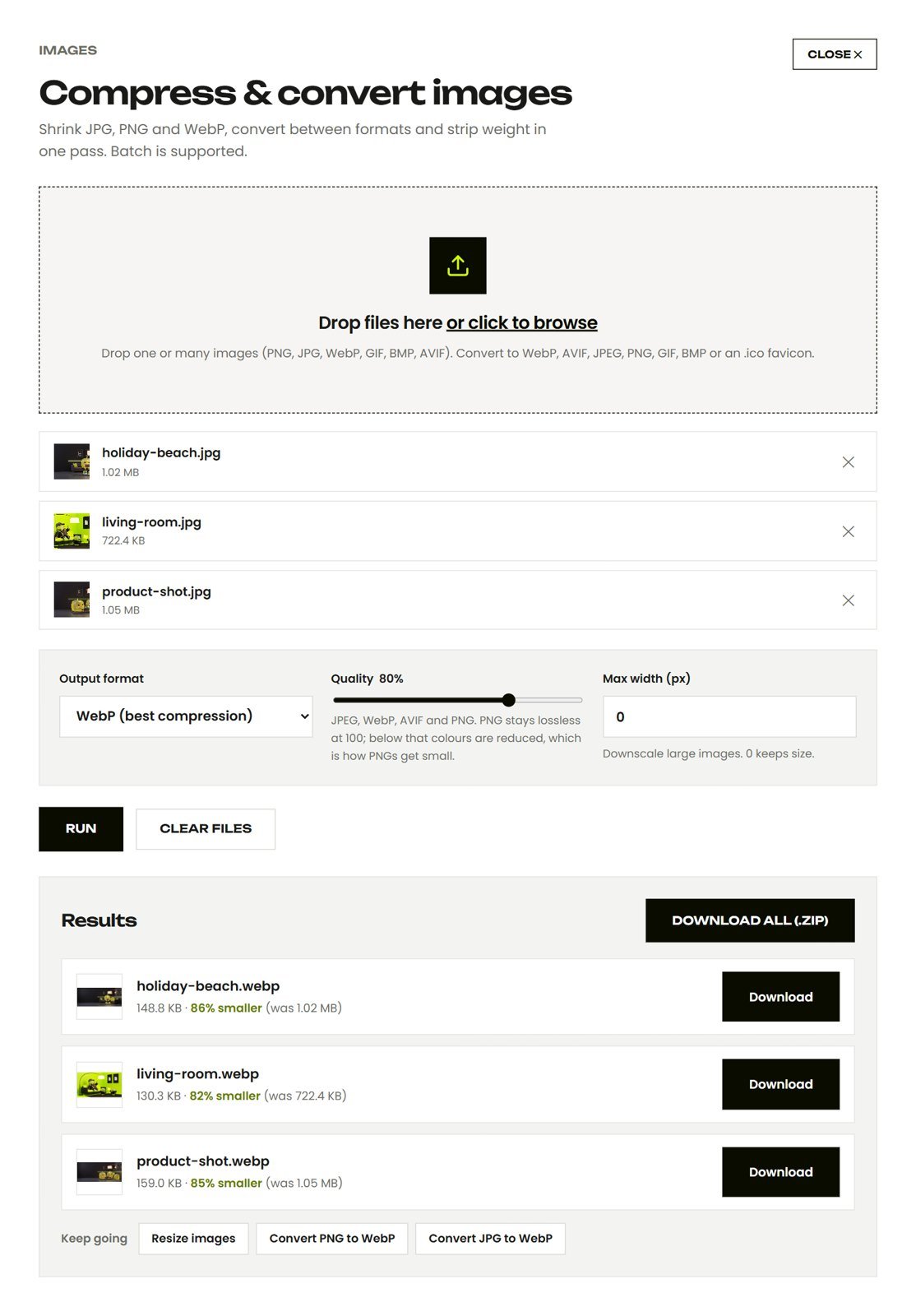
Merge PDF
Join scans, invoices and forms into one PDF in the order you drop them, then squeeze it under the email limit with Compress PDF.
Start merging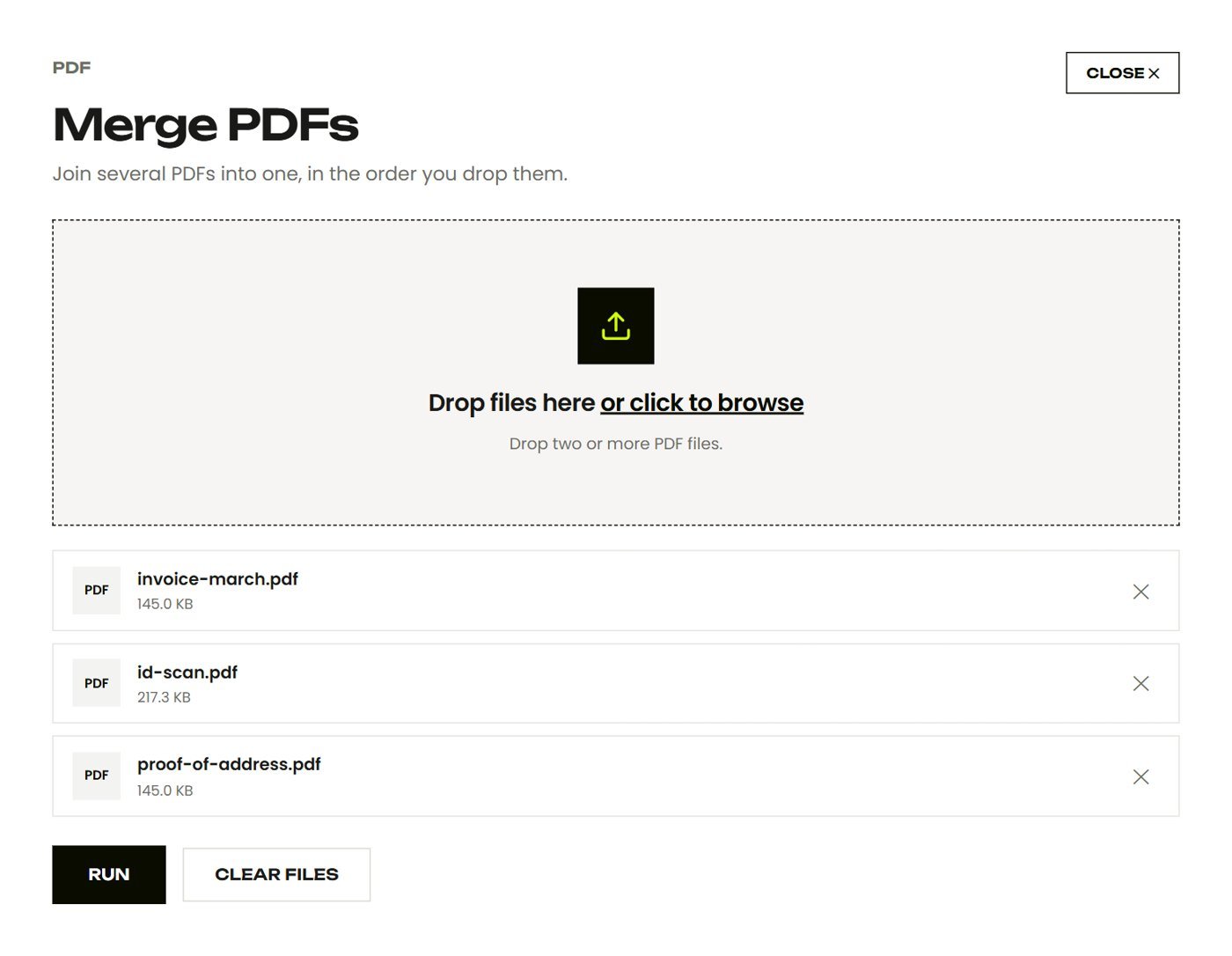
Compress video
Shrink clips for WhatsApp and email with a real FFmpeg engine running in your browser. Keep or remove the sound, pick a resolution, done.
Start shrinking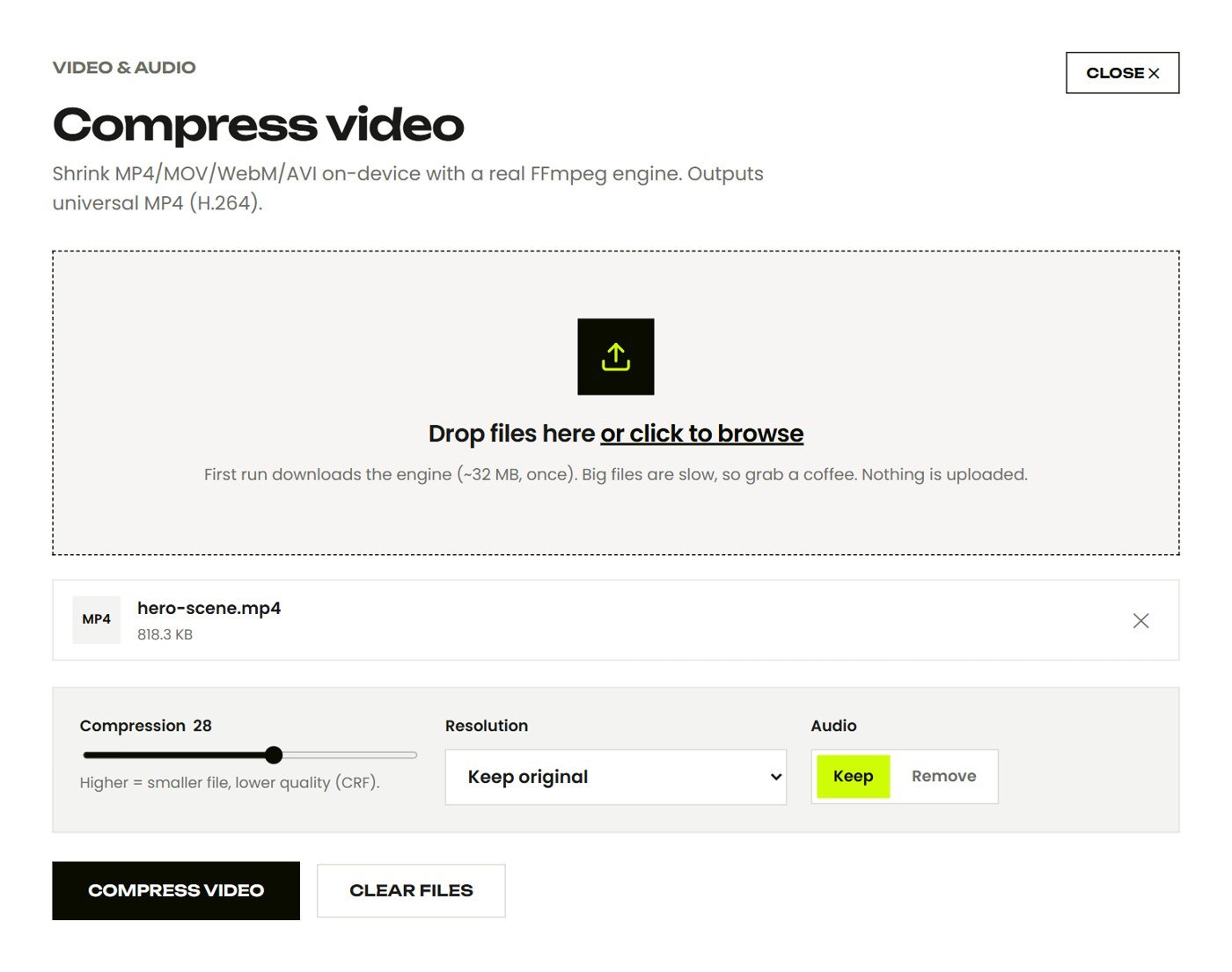
A private workflow built for everyday files
No accounts, no cloud folders and nothing to delete afterwards.
Your files stay on your device
Contracts, payslips and ID scans are processed in your browser's memory, then handed straight back to you.
Compressed from 1.02 MB with no visible change to the photo.
86% smallerSqueezed and ready
See the saving on every file before you download it.
Whole batches at once
Drop a folder of photos and up to three are processed side by side.
Works offline
Load a tool, switch the wifi off, and it keeps working. The best proof that nothing is uploaded.
Every format you work with
From iPhone photos to Excel exports, Squishly opens the files people actually send each other, and turns them into the ones they need.
Which format should I use?- JPG
- PNG
- WebP
- AVIF
- HEIC
- GIF
- BMP
- ICO
- DOCX
- MP4
- MOV
- GIF
- MP3
- WAV
- ZIP
- GZ
- CSV
- XLSX
- JSON
 HEIC
HEIC MP4
MP4 ZIP
ZIPThe no upload standard for file tools
Works on every device you own
Phone, tablet or laptop. If it has a modern browser, it runs Squishly, with nothing to install.
Try it nowNew tools, built the same way
Fresh tools land every month. Each one runs in your browser, costs nothing and never sees a server.
See what changed
Frequently asked questions
General
What is Squishly Tools?
A free set of file tools that run entirely inside your web browser: compress and convert images, merge, split and shrink PDFs, compress video, extract audio, zip and unzip files, and more. There is nothing to install and no account to create. You open a tool, drop a file, and download the result.
Is it really free?
Yes. Every tool is free with no watermarks, no daily limits and no paid tier that unlocks the real features. The site is supported by advertising, which is described in the privacy policy and can be declined in the cookie settings.
Do I need to sign up?
No. There are no accounts and no email addresses to enter. Because your files are processed on your own device, there is nothing for an account to store.
Does it work on my phone?
Yes. Every tool works in the browser on iPhone and Android. Very large jobs, such as long 4K videos or huge scanned PDFs, can run out of memory on a phone; for those, use a laptop or desktop.
Is there a file size limit?
There is no fixed limit. The practical ceiling is your device memory, because files are processed in the browser. Photos, documents and clips of a few minutes are comfortable on any modern device.
How it works
How can a website process files without uploading them?
Modern browsers include everything needed: the Canvas API decodes and re-encodes images, WebAssembly runs a full FFmpeg video engine and a PDF renderer at near-native speed, and the browser has a native gzip engine. The page is downloaded once, and from then on it works on files in your browser memory.
How can I check that nothing is uploaded?
Load a tool, then switch off your wifi or turn on aeroplane mode, and run it. It still works, which would be impossible if the file had to reach a server. You can also open the browser developer tools, watch the Network tab, and see that no request carries your file.
Why does the first video or audio job take a moment to start?
The video and audio tools use an FFmpeg engine that is about 32 MB. It downloads once on first use and is then cached, so later jobs start immediately.
Why is a job slower than a desktop app?
Your device is doing the work instead of a powerful server, and browser code runs a little slower than native software. For photos, PDFs and short clips the difference is seconds. For a long video it can be several minutes, which is the price of keeping the footage private.
Where do the results go?
Results are handed to you as ordinary downloads generated on your device. They are not stored anywhere, and they disappear from browser memory when you close the tab.
Privacy
Are my files stored anywhere?
No. Files exist only in your browser memory while the tab is open. There is no server storage because there is no server involved in processing.
Can I use it for sensitive documents?
That is exactly what it is for. Contracts, ID scans, bank statements, medical letters and private photos never leave your device, which is not true of most online converter sites.
What data does the site collect?
Anonymous usage analytics, such as which tools are used, and advertising cookies where ads are enabled. Neither has access to your files. Both are described in the privacy policy and can be declined in the cookie settings.
Do converted images keep my location data?
No. Photo metadata, including GPS location, is not carried into converted or resized images, so an image you post after processing here does not reveal where it was taken.
Formats
Which image formats are supported?
JPG, PNG, WebP, AVIF, GIF, BMP and ICO. You can convert between any of them, and compress, resize, crop, rotate, upscale, watermark and edit them.
Which PDF jobs can it do?
Merge, split and extract pages, compress scanned PDFs, rotate pages permanently, convert PDF pages to images, build a PDF from images, and convert Word documents to PDF.
Which video and audio formats are supported?
Video in: MP4, MOV, WebM, MKV, AVI, 3GP and most others. Video out: H.264 MP4 or GIF. Audio in and out: MP3, M4A, WAV and OGG, plus audio extraction from any video.
Can it open password-protected PDFs or encrypted ZIPs?
No. Their contents are unreadable without the key. Unlock the PDF in a viewer and save a copy first, or extract the archive with its password on your computer.
Which format should I use for my website?
WebP for photos and graphics, at quality 75 to 85. It is supported by every current browser and is a quarter to a third smaller than JPG. Read the image formats guide for the full comparison.
The heavy stuff and its trade-offs
Video, audio and Office files now work fully on-device too. They're genuinely harder than the rest, so here's exactly what to expect, with no surprises.
Video compression
Powered by a real FFmpeg engine running in your browser. The first video job downloads the engine (~32 MB, once) and encoding is slower than a native app. Your video never leaves your device.
Open toolAudio conversion
Convert between MP3, M4A, WAV and OGG on-device via the same FFmpeg engine. Same one-time download, same total privacy.
Open toolDOCX → PDF
Turns Word documents into PDFs right here, including text, headings and lists. It's basic formatting, so exotic fonts, complex tables and embedded images may shift, since true fidelity needs a server we deliberately don't run.
Open toolGuides people actually read
Plain answers to the file problems people search for every day.
Read all guides